
Your domain name is essential to keeping your website online. To avoid service interruptions, Ruachost makes it easy to renew your domains manually or set them to renew automatically. This guide explains how to manage domain renewals in the Ruachost Client Area.
Accessing Your Domains
To manage your domains:
-
Log in to the ruachost.com Hosting Panel.
-
From the top navigation, click Domains to view all domains associated with your account.
Screenshot – My Domains List
Configuring Automatic Renewal
For convenience, you can enable Auto Renew so your domain is automatically renewed before it expires.
-
In the My Domains table, check the Auto Renew column.
-
If enabled, your domain will renew automatically before the due date.
-
If disabled, you’ll need to renew manually.
This ensures your domain remains active without interruption.
Renewing a Domain Manually
To manually renew a domain:
-
Go to Domains.
-
Locate the domain you want to renew.
-
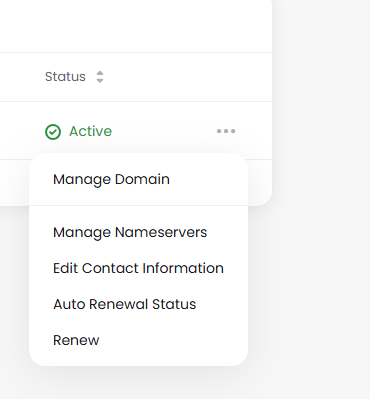
Use the dropdown menu next to the domain to select Renew.
-
Follow the prompts to complete payment for the renewal.
Checking Renewal Dates
Each domain entry shows a Next Due Date. Be sure to renew before this date to avoid suspension or loss of your domain.
-
Active status means your domain is currently valid.
-
If a domain is not renewed by the due date, it may enter a grace period or become available for others to register.


